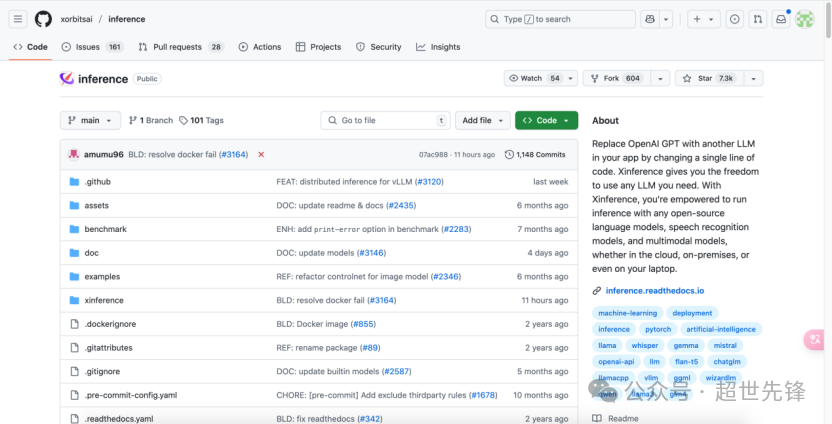
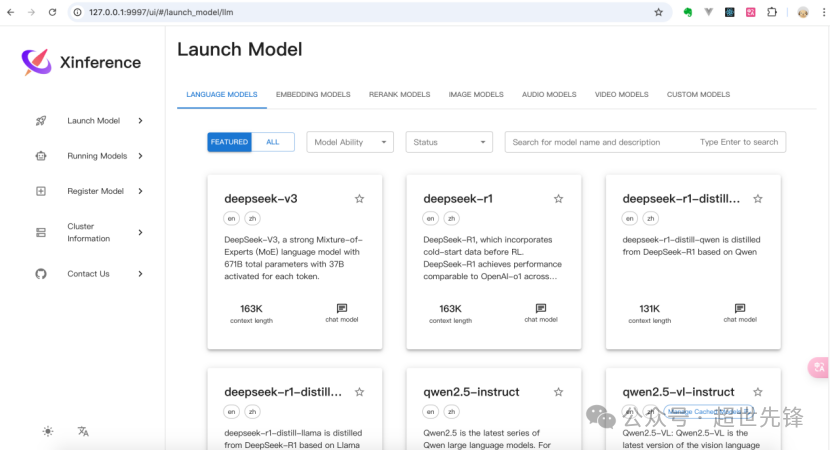
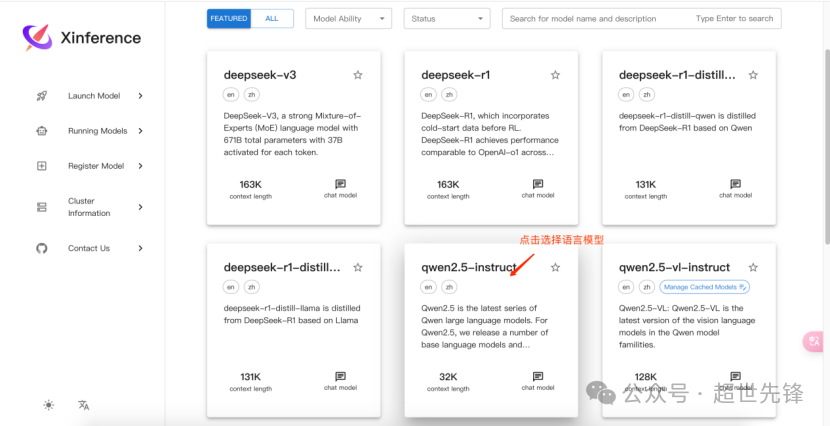
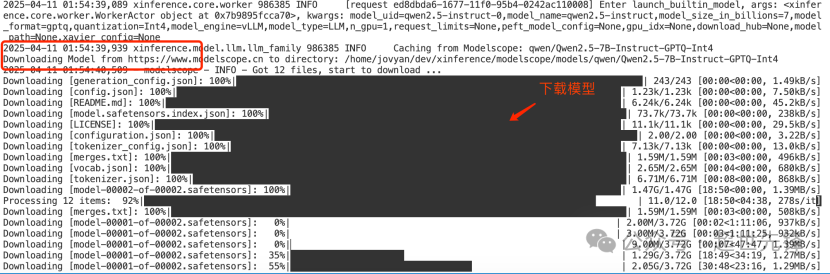
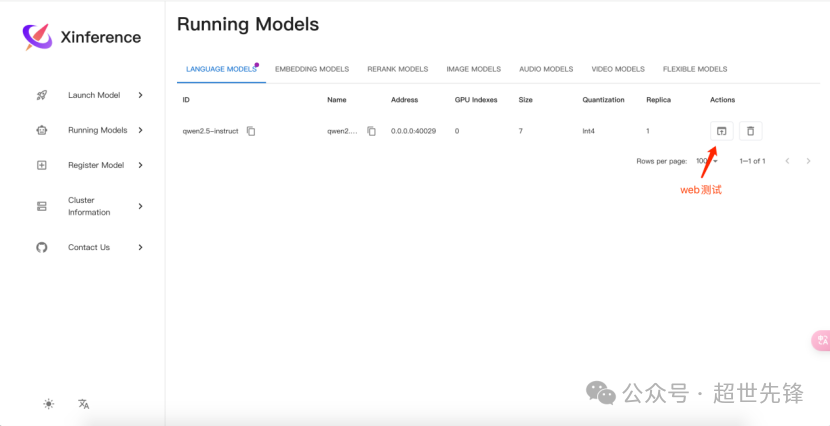
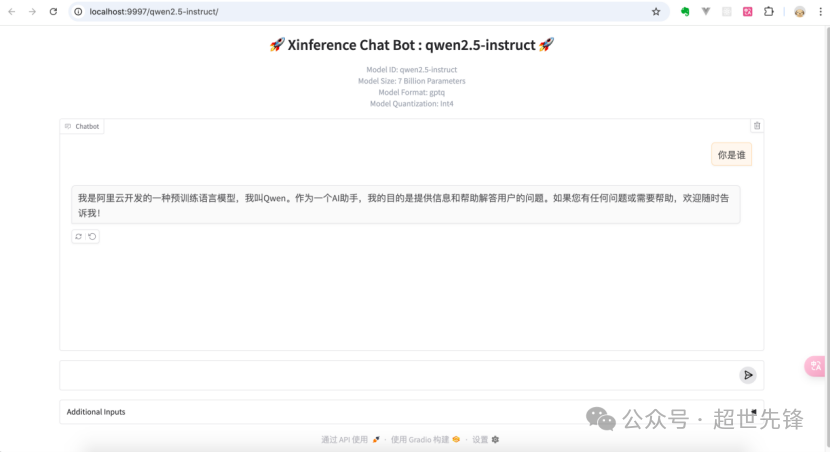
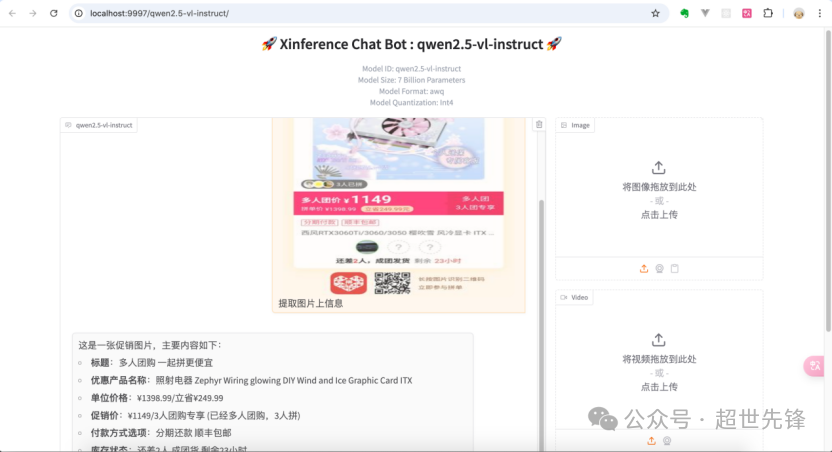
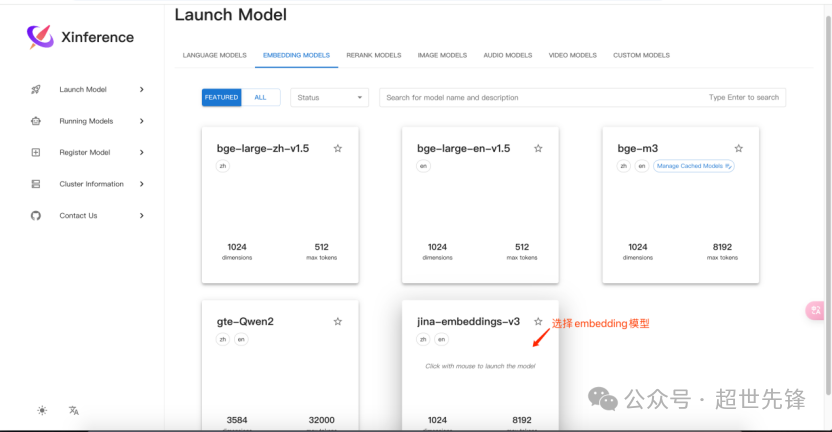
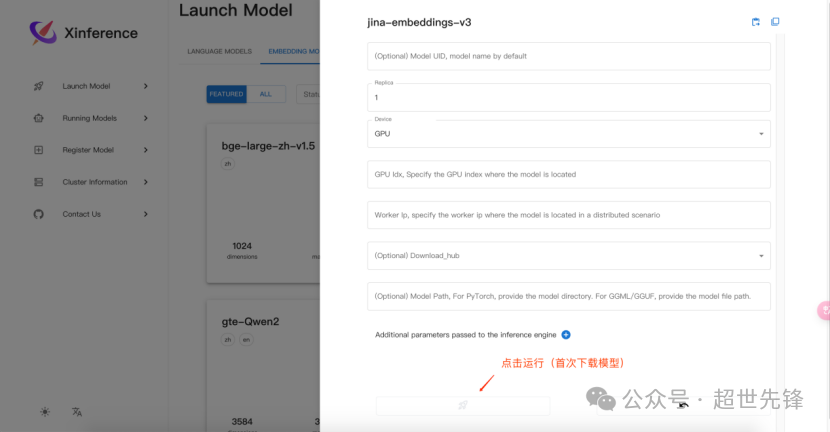
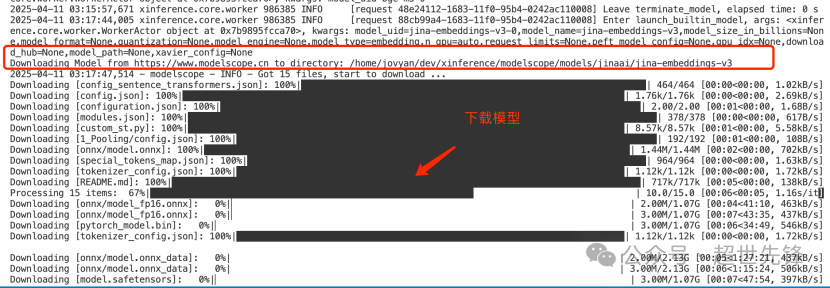
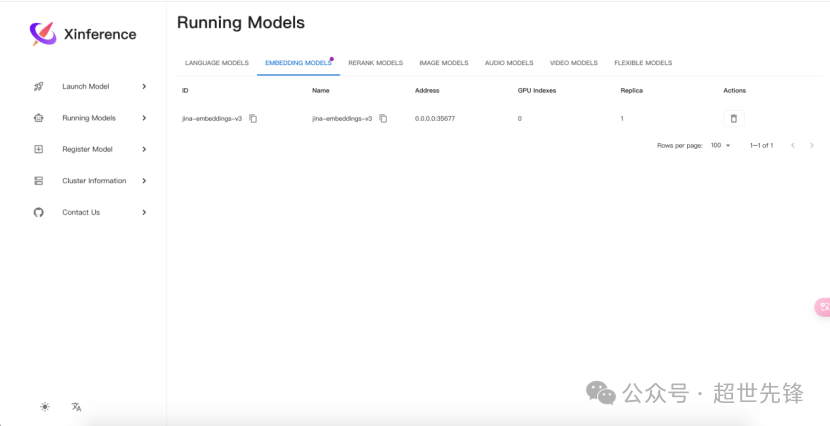
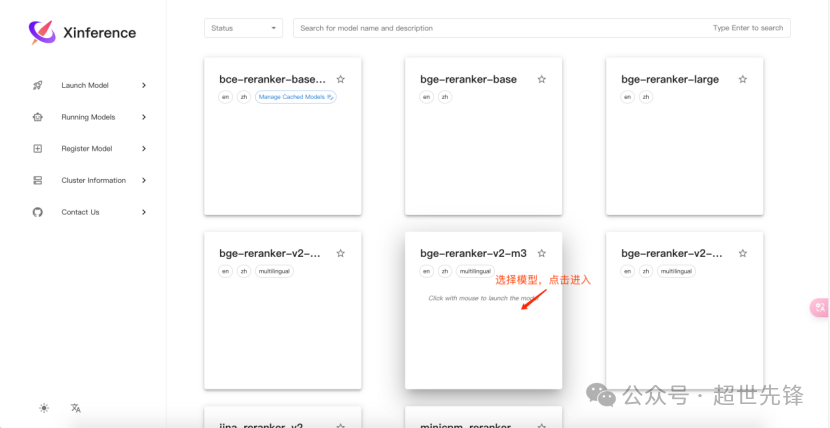
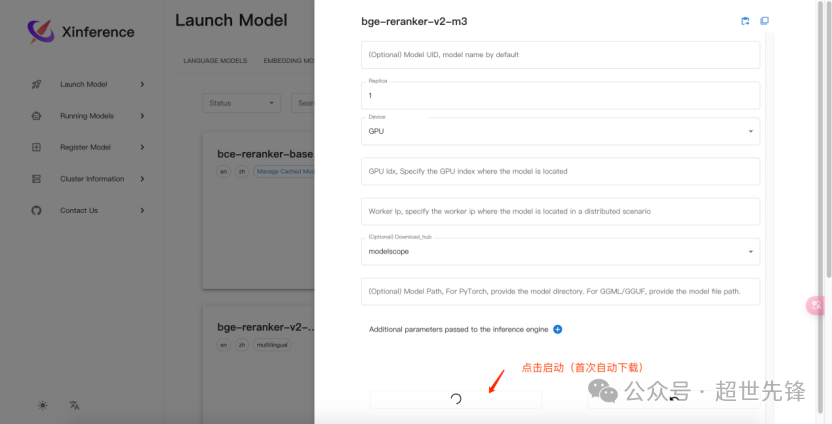
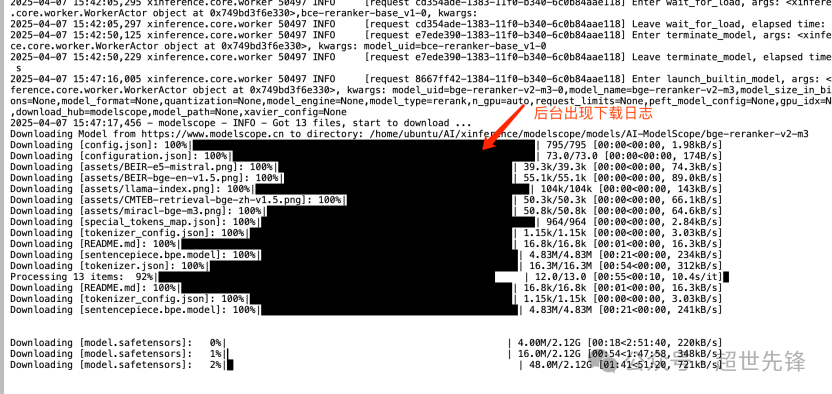
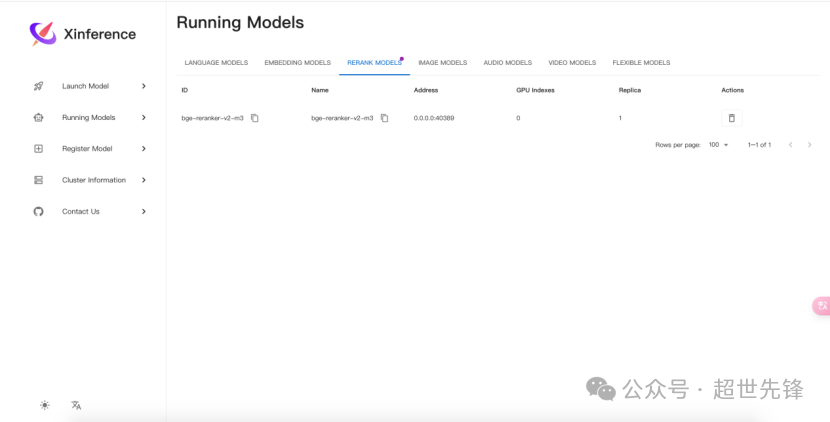
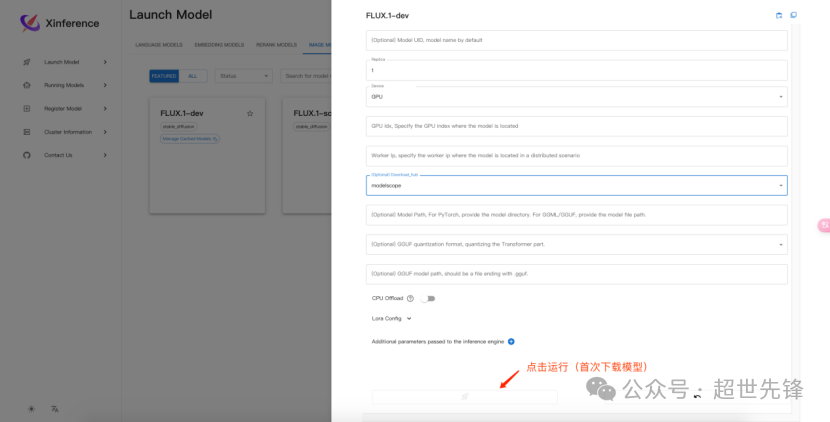
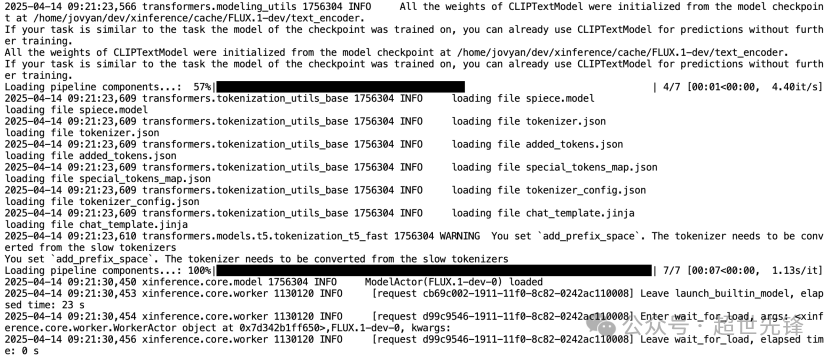
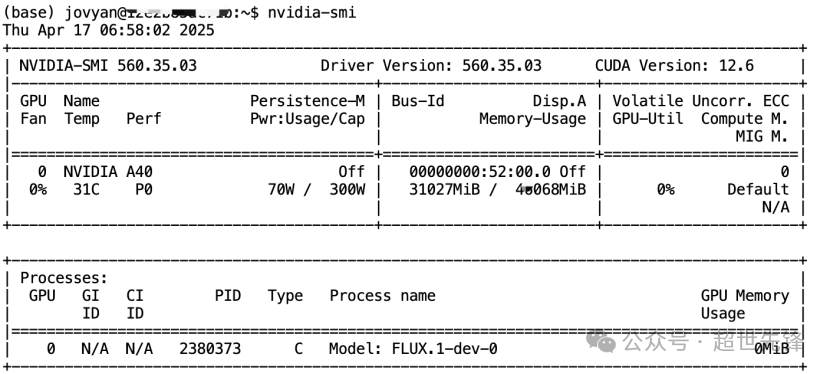
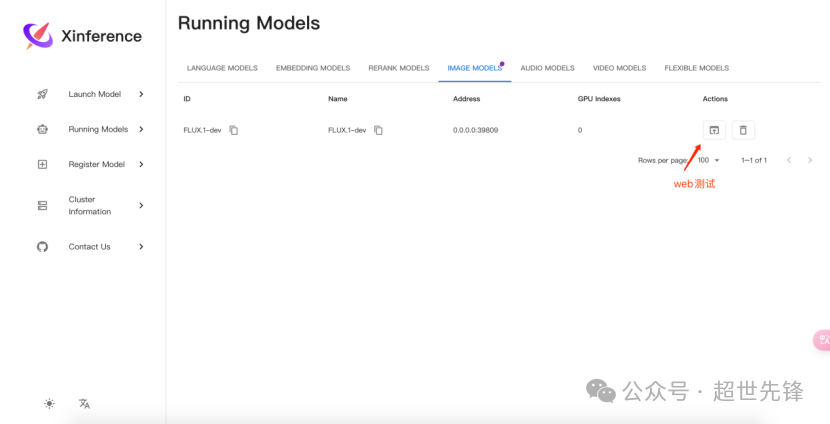
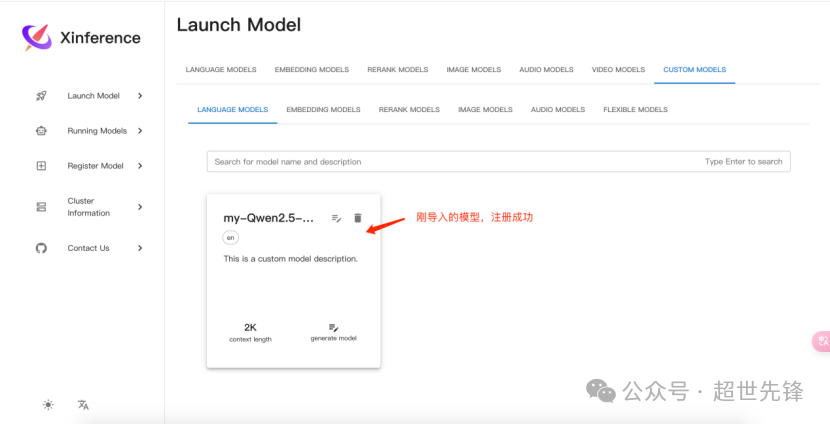
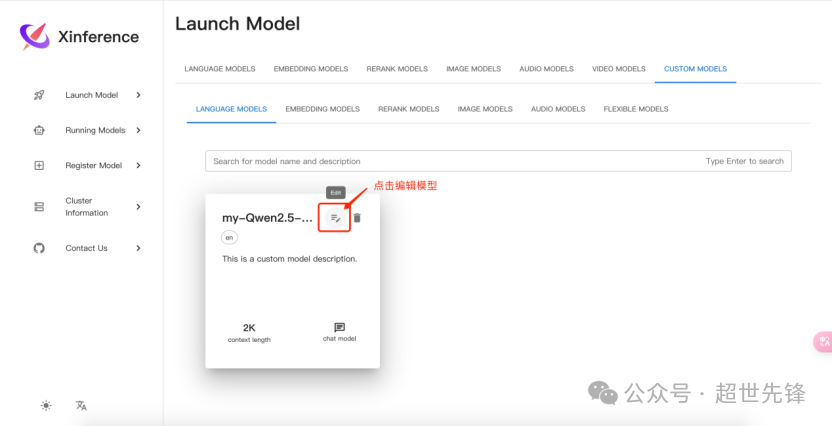
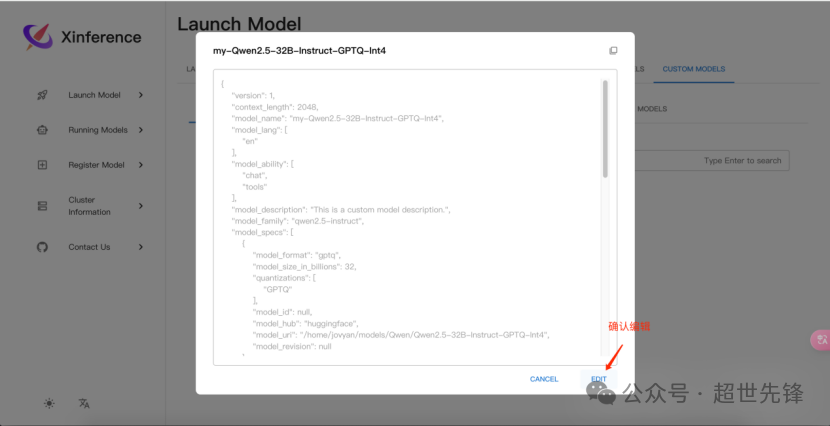
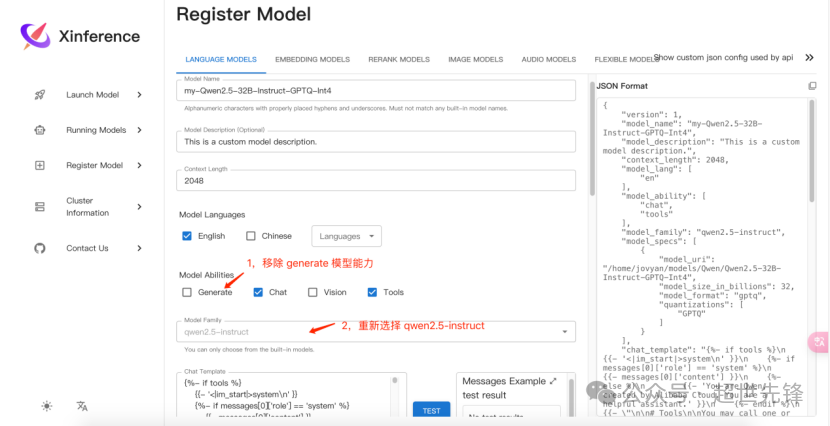
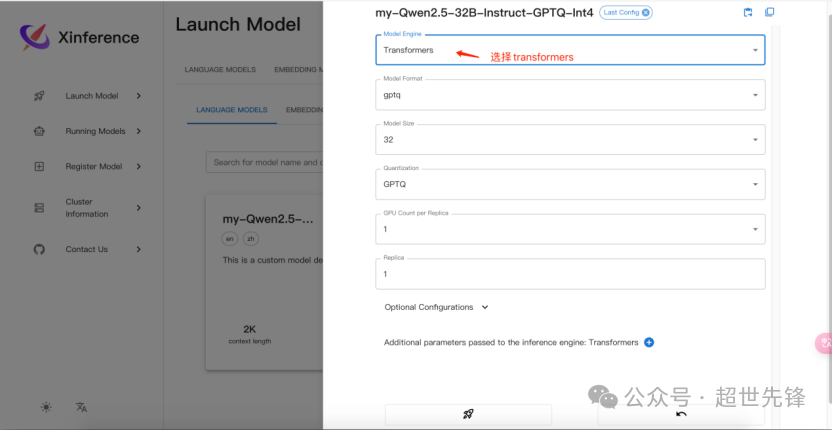
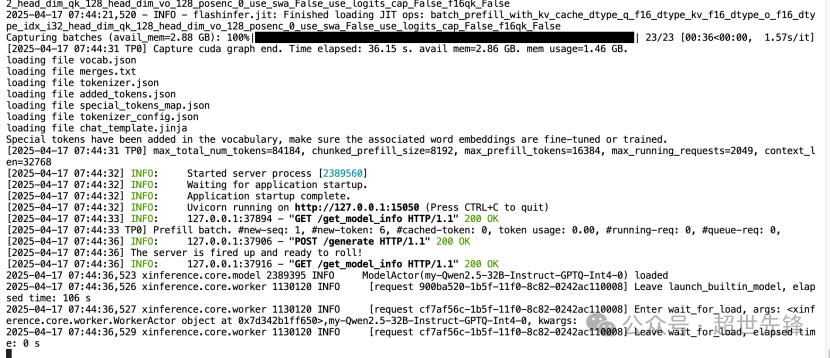
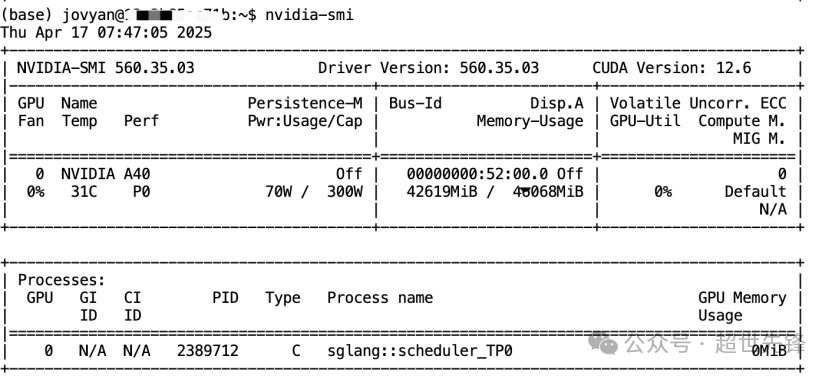
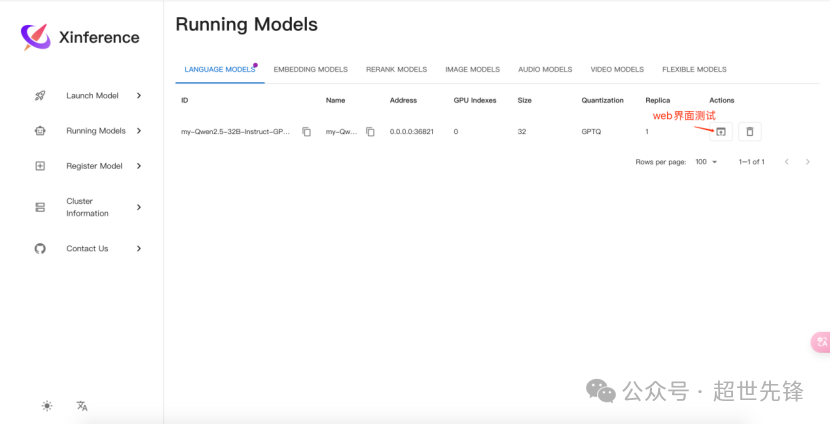
Xinference简化各种 AI 模型的运行和集成,用于本地环境部署开源 LLM、嵌入模型和多模态模型运行推理。conda create -n xinference python=3.11conda activate xinference
pip3 install torch torchvision torchaudio --index-url https://download.pytorch.org/whl/cu126
#环境变量配置export HF_ENDPOINT="https://hf-mirror.com"export USE_MODELSCOPE_HUB=1export XINFERENCE_HOME=/home/jovyan/dev/xinferenceexport XINFERENCE_MODEL_SRC=modelscope#export XINFERENCE_ENDPOINT=http://0.0.0.0:9997
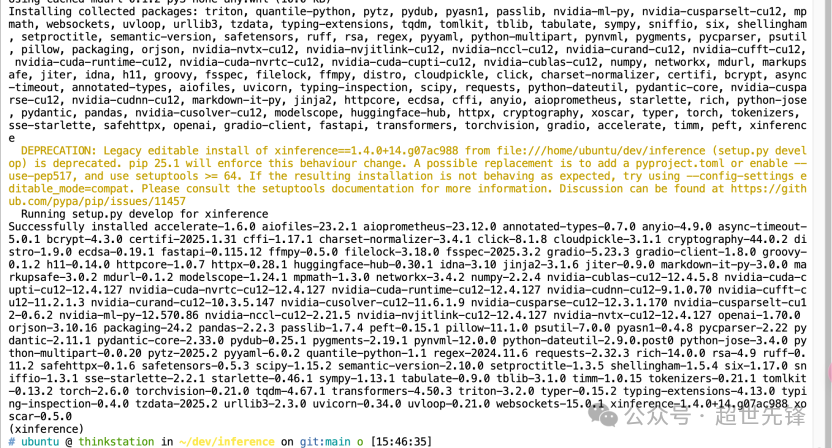
git clone https://github.com/xorbitsai/inference.gitcd inferencepip install -e .
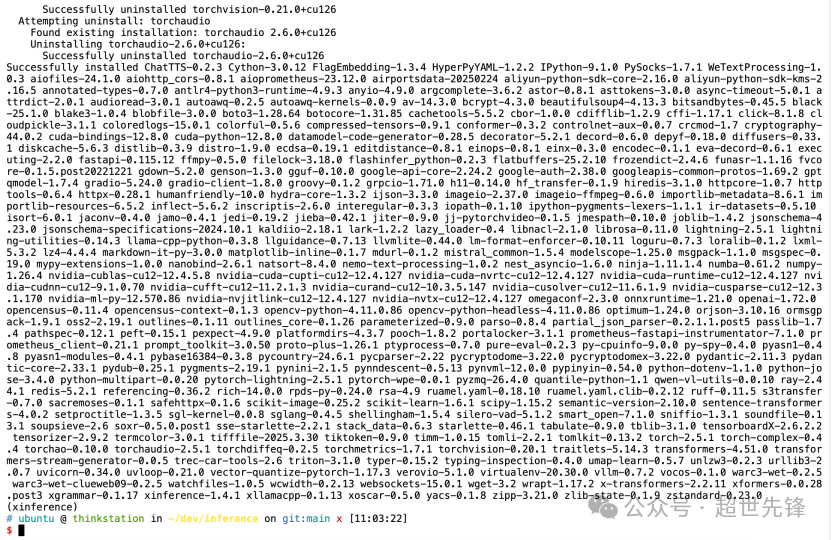
pip install "xinference[all]"
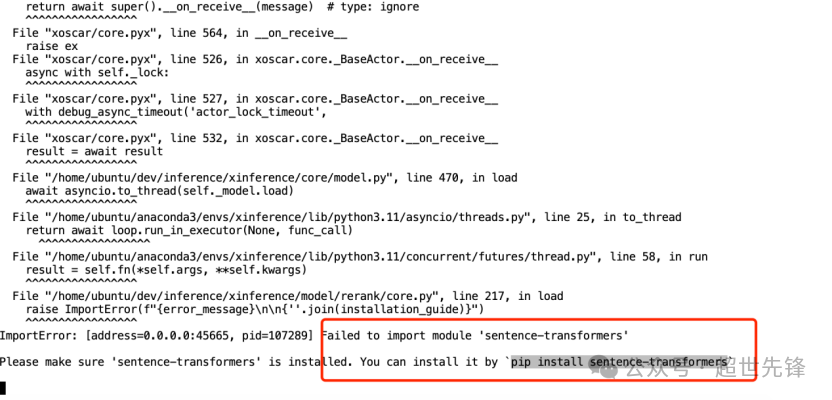
pip install sentence-transformers# pip install flash_attn
pip install sentencepiecepip install protobuf
1,Transformers 引擎(PyTorch)# 支持几乎有所的最新模型,Pytorch模型默认使用的引擎pip install "xinference[transformers]"
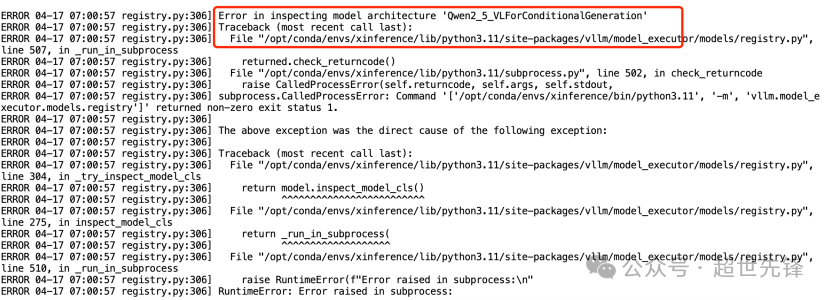
# 支持高并发,使用vllm引擎能获取更高的吞吐量pip install "xinference[vllm]"# FlashInfer is optional but required for specific functionalities such as sliding window attention with Gemma 2.# For CUDA 12.4 & torch 2.4 to support sliding window attention for gemma 2 and llama 3.1 style ropepip install flashinfer -i https://flashinfer.ai/whl/cu124/torch2.4# For other CUDA & torch versions, please check https://docs.flashinfer.ai/installation.html
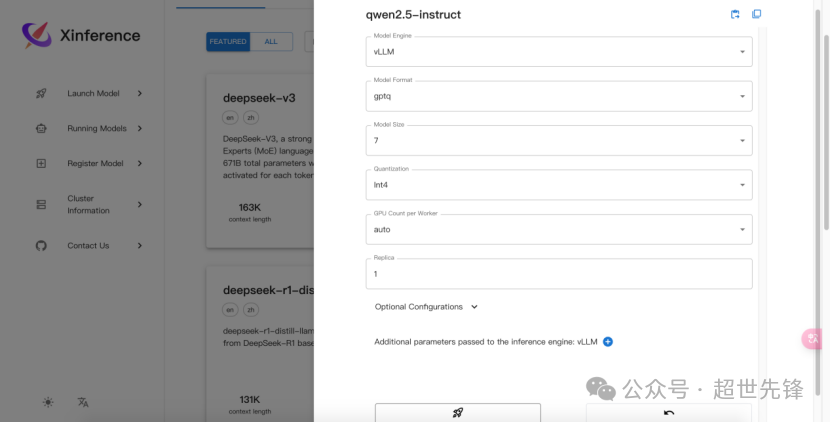
# 说明:当满足以下条件时,自动选择 vllm 作为引擎:模型格式为 pytorch , gptq 或者 awq 。当模型格式为 pytorch 时,量化选项需为 none 。当模型格式为 awq 时,量化选项需为 Int4 。当模型格式为 gptq 时,量化选项需为 Int3 、 Int4 或者 Int8 。操作系统为 Linux 并且至少有一个支持 CUDA 的设备自定义模型的 model_family 字段和内置模型的 model_name 字段在 vLLM 的支持列表中。
说明:自 v1.5.0 起,xllamacpp 成为 llama.cpp 后端的默认选项。如需启用 llama-cpp-python,请设置环境变量 USE_XLLAMACPP=0#CPU 或 Mac Metal:pip install -U xllamacpp#Cuda:pip install xllamacpp --force-reinstall --index-url https://xorbitsai.github.io/xllamacpp/whl/cu124#HIP:pip install xllamacpp --force-reinstall --index-url https://xorbitsai.github.io/xllamacpp/whl/rocm-6.0.2
#llama-cpp-python 不同硬件的安装方式:#Apple M系列CMAKE_ARGS="-DLLAMA_METAL=on" pip install llama-cpp-python#英伟达显卡:CMAKE_ARGS="-DLLAMA_CUBLAS=on" pip install llama-cpp-python#AMD 显卡:CMAKE_ARGS="-DLLAMA_HIPBLAS=on" pip install llama-cpp-python
Xinference 通过 xllamacpp 或 llama-cpp-python 支持 gguf 格式的模型。xllamacpp 由 Xinference 团队开发,并将在未来成为 llama.cpp 的唯一后端。llama-cpp-python 是 llama.cpp 后端的默认选项。要启用 xllamacpp,请添加环境变量 USE_XLLAMACPP=1。在即将发布的 Xinference v1.5.0 中,xllamacpp 将成为 llama.cpp 的默认选项,而 llama-cpp-python 将被弃用。在 Xinference v1.6.0 中,llama-cpp-python 将被移除。
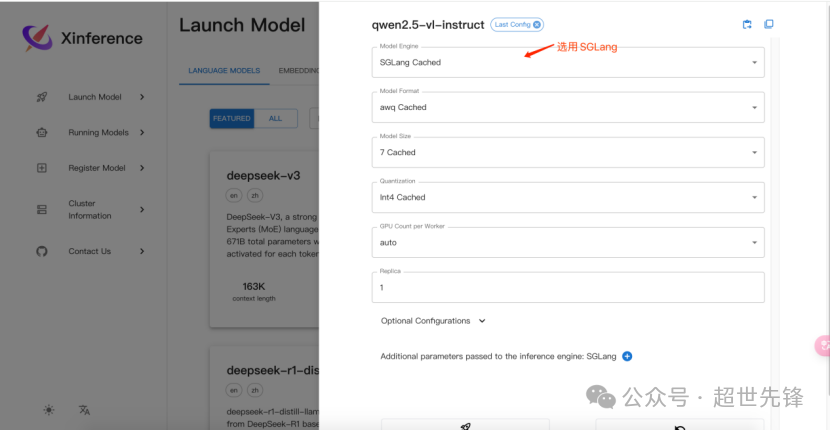
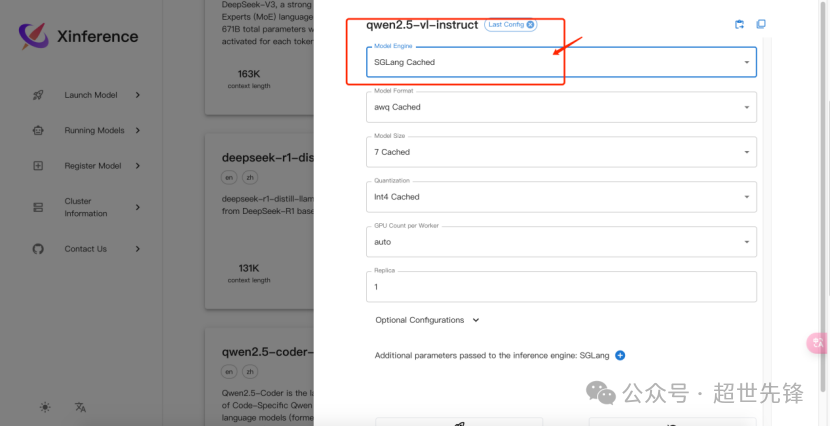
pip install "xinference[sglang]"# For CUDA 12.4 & torch 2.4 to support sliding window attention for gemma 2 and llama 3.1 style ropepip install flashinfer -i https://flashinfer.ai/whl/cu124/torch2.4# For other CUDA & torch versions, please check https://docs.flashinfer.ai/installation.html
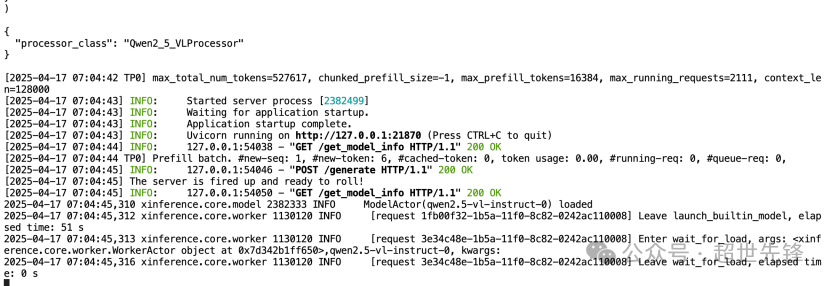
SGLang 具有基于 RadixAttention 的高性能推理运行时。SGLang通过在多个调用之间自动重用KV缓存,显著加速了复杂 LLM 程序的执行。SGLang还支持其他常见推理技术,如连续批处理和张量并行处理。
pip install "xinference[mlx]"
MLX-lm 用来在苹果 silicon 芯片上提供高效的 LLM 推理。
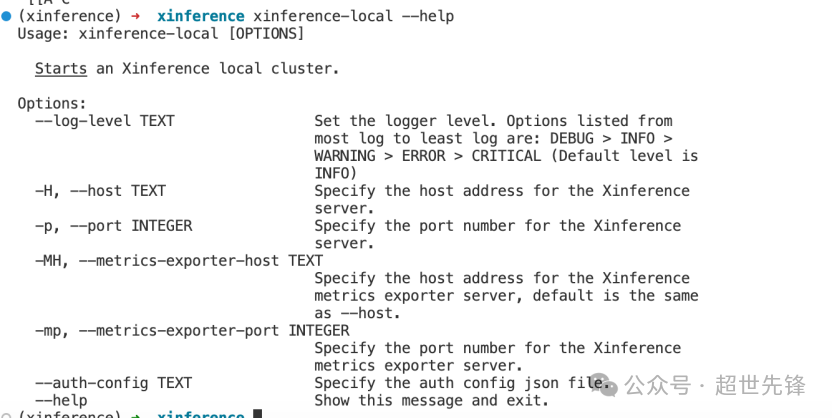
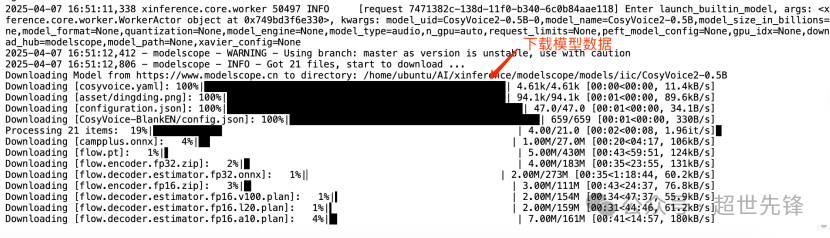
1,启动(注意:默认从huggingface拉模型)XINFERENCE_MODEL_SRC=modelscope xinference-local --host 0.0.0.0 --port 9997
说明1:xinference-local 默认会在本地启动一个 worker,端点为:http://127.0.0.1:9997,端口默认为 9997,仅支持本机本地访问。说明2:默认使用 <HOME>/.xinference 作为主目录来存储一些必要的信息(日志文件、模型文件等),配置环境变量 XINFERENCE_HOME 修改主目录:XINFERENCE_HOME=/tmp/xinference xinference-local --host 0.0.0.0 --port 9997说明3:默认从huggingface拉模型,可配置 XINFERENCE_MODEL_SRC=modelscope 指定拉取模型hub
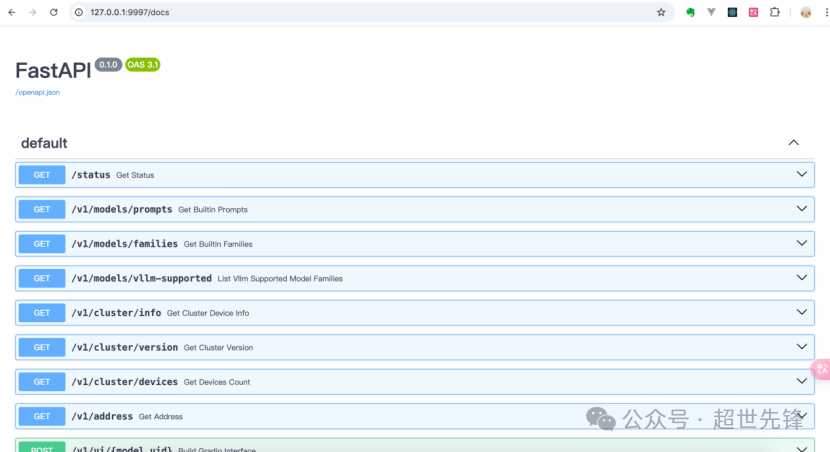
http://127.0.0.1:9997/docs
XINFERENCE_MODEL_SRC=modelscope xinference-local --host 0.0.0.0 --port 9997#后台启动nohup XINFERENCE_MODEL_SRC=modelscope xinference-local --host 0.0.0.0 --port 9997 > xinference-local.log 2>&1 &
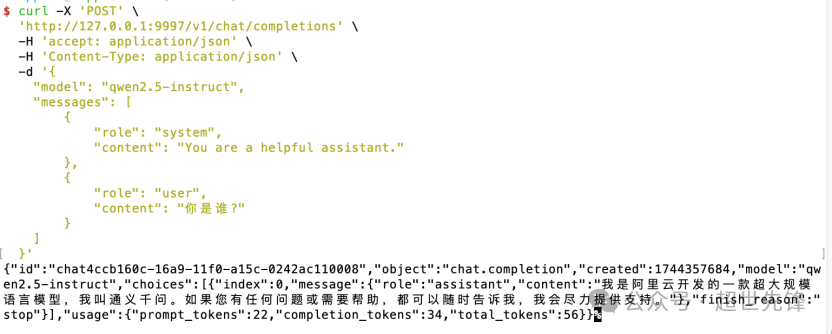
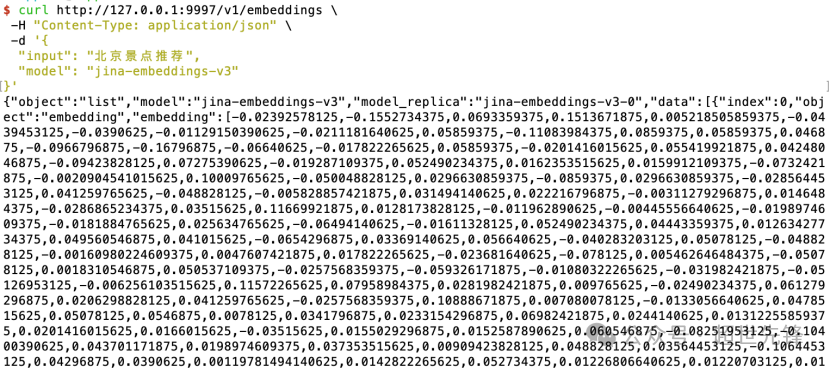
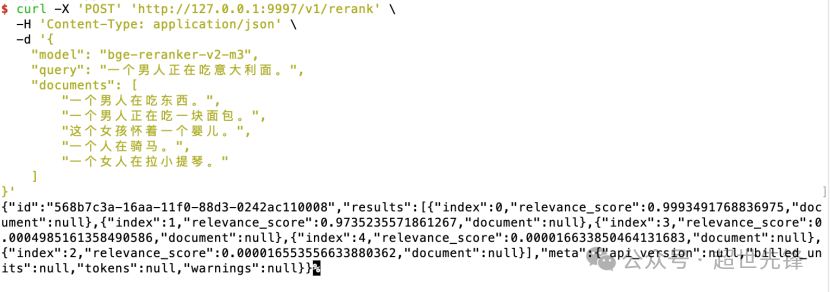
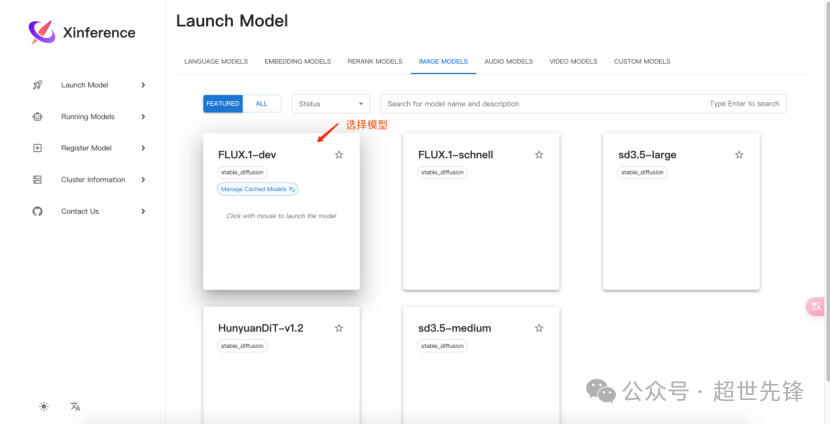
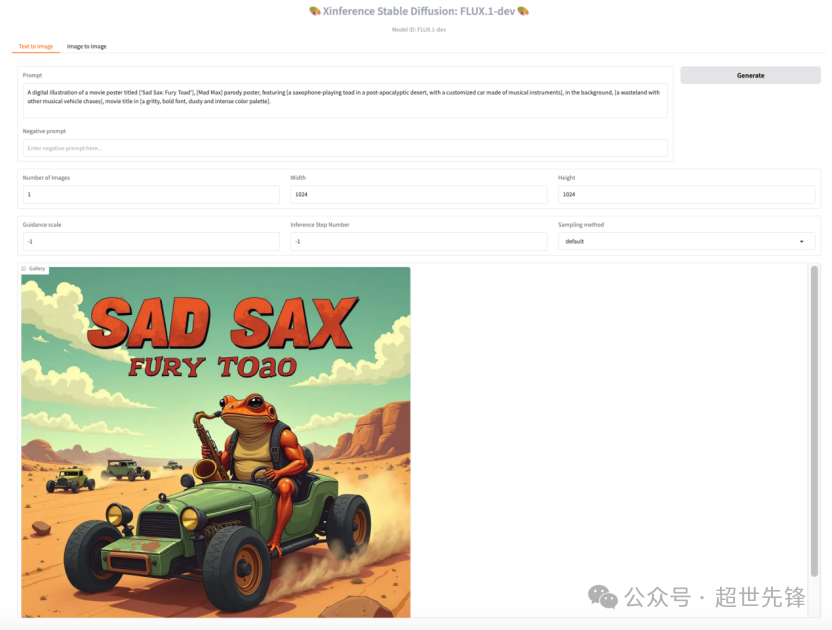
curl -X 'POST' \ 'http://127.0.0.1:9997/v1/chat/completions' \ -H 'accept: application/json' \ -H 'Content-Type: application/json' \ -d '{ "model": "qwen2.5-instruct", "messages": [ { "role": "system", "content": "You are a helpful assistant." }, { "role": "user", "content": "你是谁?" } ] }' # 测试qwen2.5-vl模型(下载运行同qwen2.5)curl http://127.0.0.1:9997/v1/embeddings \ -H "Content-Type: application/json" \ -d '{ "input": "北京景点推荐", "model": "jina-embeddings-v3"}'curl -X 'POST' 'http://127.0.0.1:9997/v1/rerank' \ -H 'Content-Type: application/json' \ -d '{ "model": "bge-reranker-v2-m3", "query": "一个男人正在吃意大利面。", "documents": [ "一个男人在吃东西。", "一个男人正在吃一块面包。", "这个女孩怀着一个婴儿。", "一个人在骑马。", "一个女人在拉小提琴。" ]}'# 测试propmtA digital illustration of a movie poster titled [‘Sad Sax: Fury Toad’], [Mad Max] parody poster, featuring [a saxophone-playing toad in a post-apocalyptic desert, with a customized car made of musical instruments], in the background, [a wasteland with other musical vehicle chases], movie title in [a gritty, bold font, dusty and intense color palette].
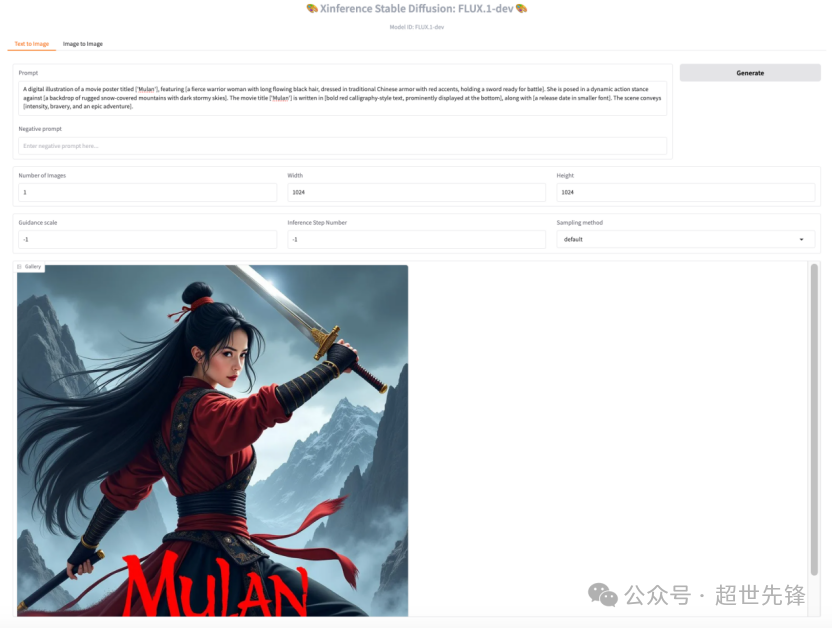
# 测试propmtA digital illustration of a movie poster titled ['Mulan'], featuring [a fierce warrior woman with long flowing black hair, dressed in traditional Chinese armor with red accents, holding a sword ready for battle]. She is posed in a dynamic action stance against [a backdrop of rugged snow-covered mountains with dark stormy skies]. The movie title ['Mulan'] is written in [bold red calligraphy-style text, prominently displayed at the bottom], along with [a release date in smaller font]. The scene conveys [intensity, bravery, and an epic adventure].
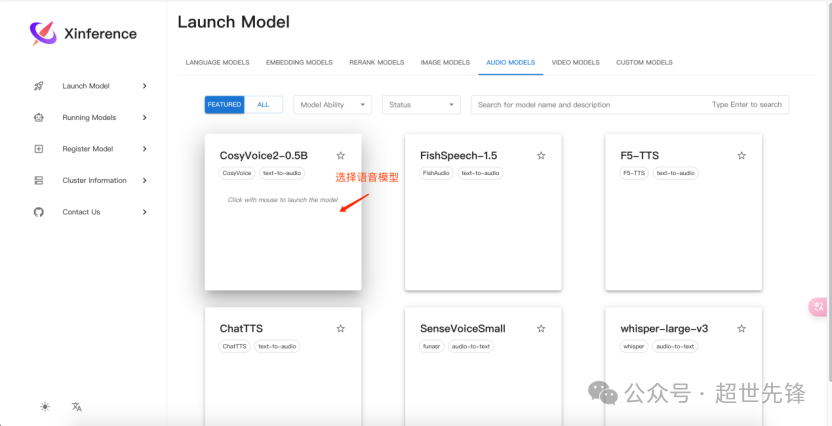
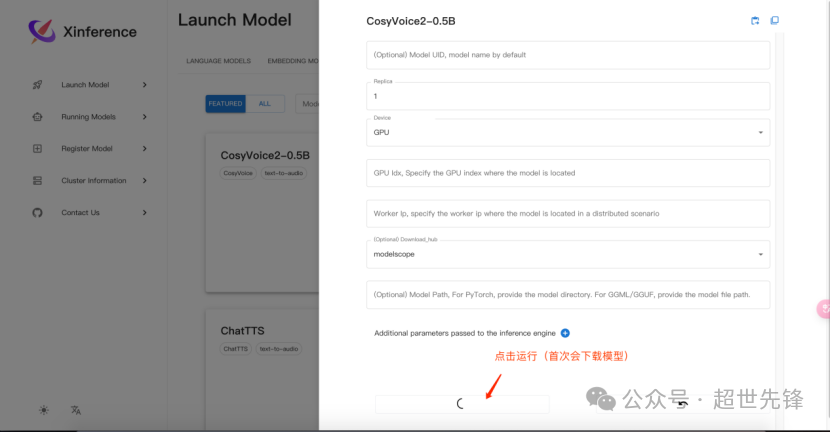
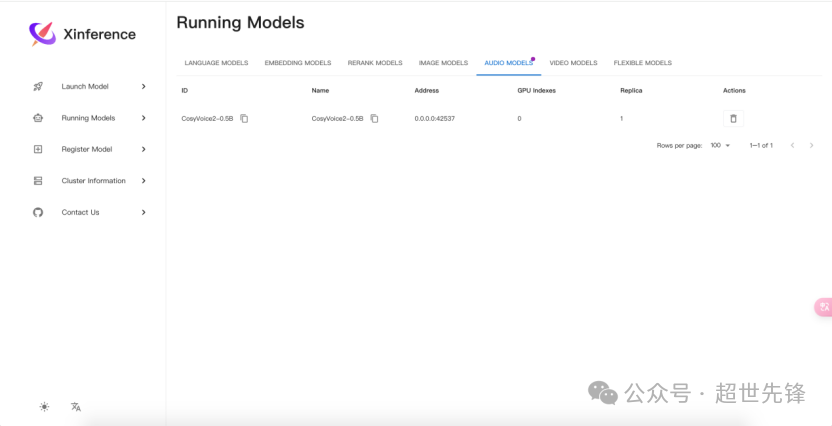
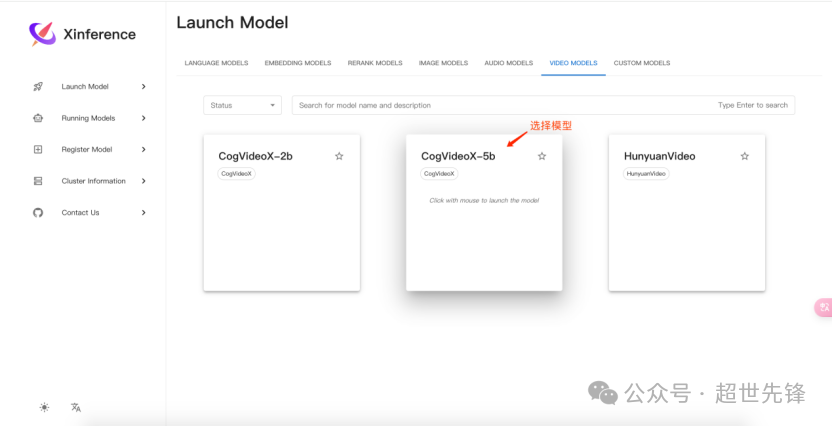
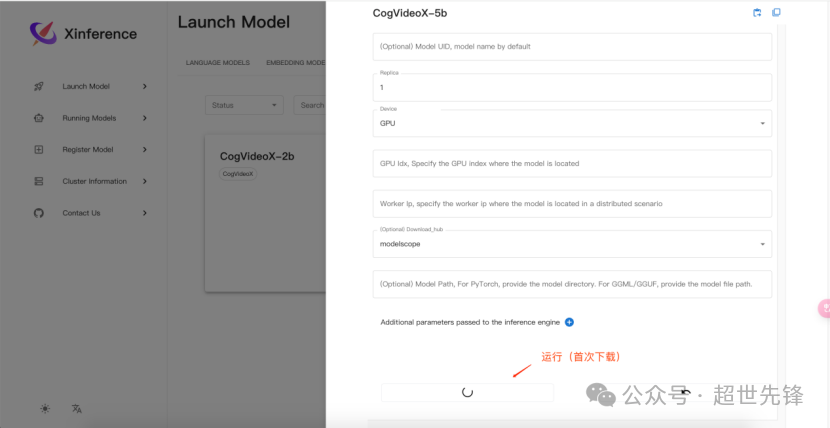
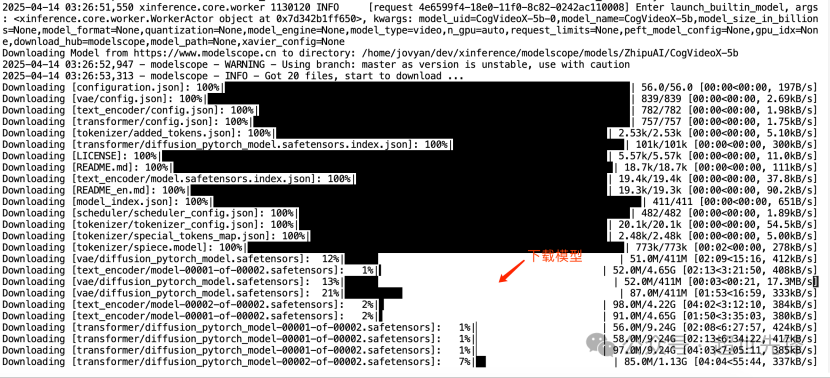
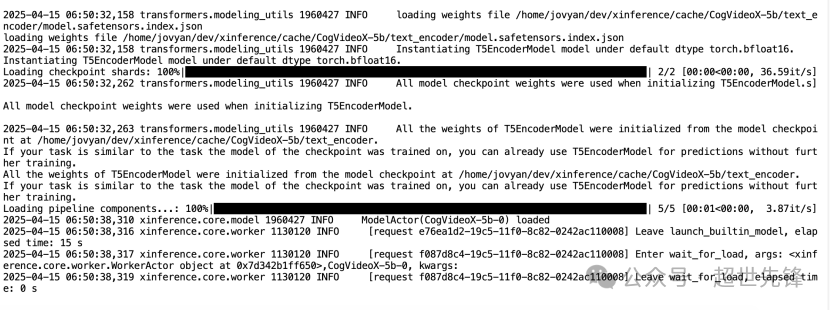
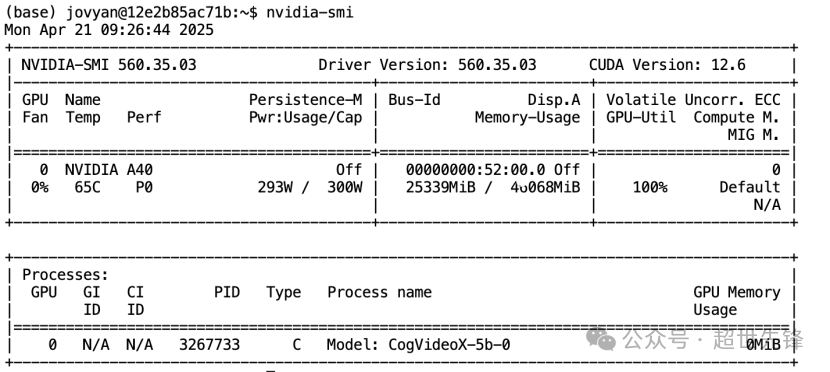
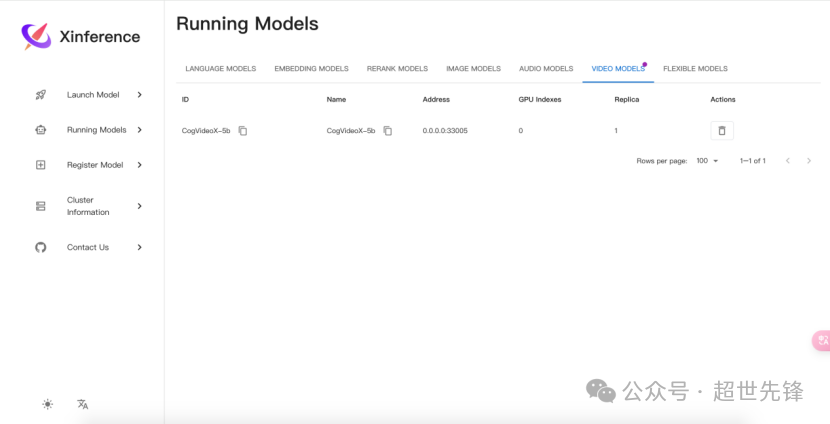
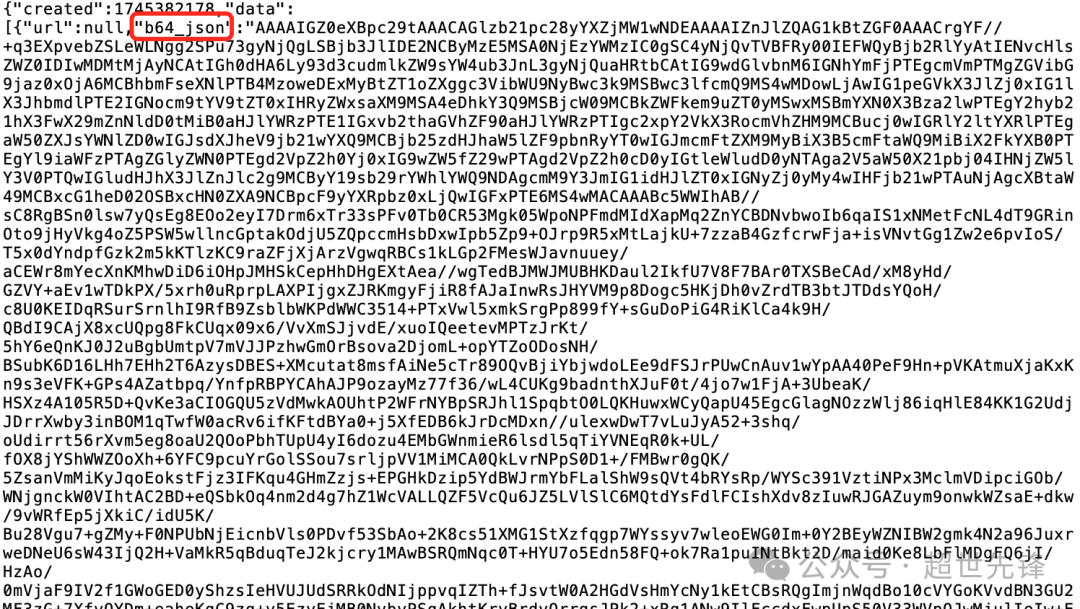
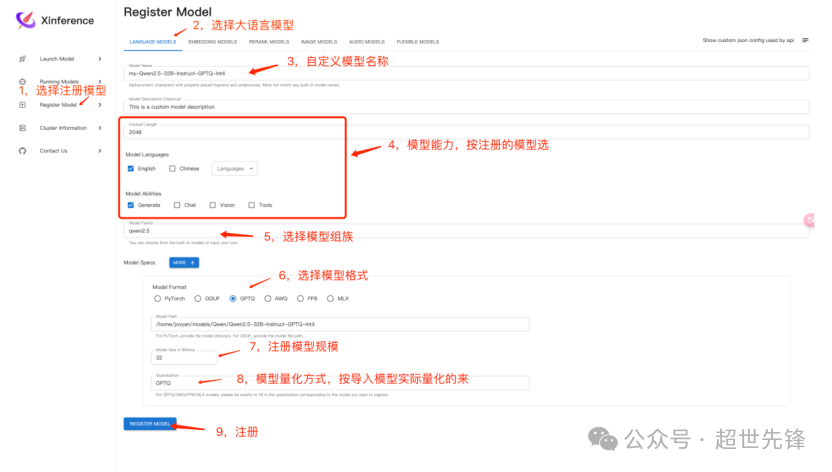
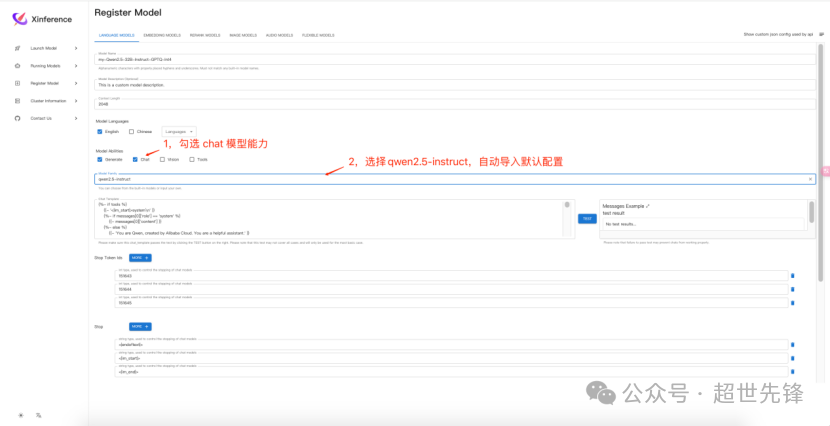
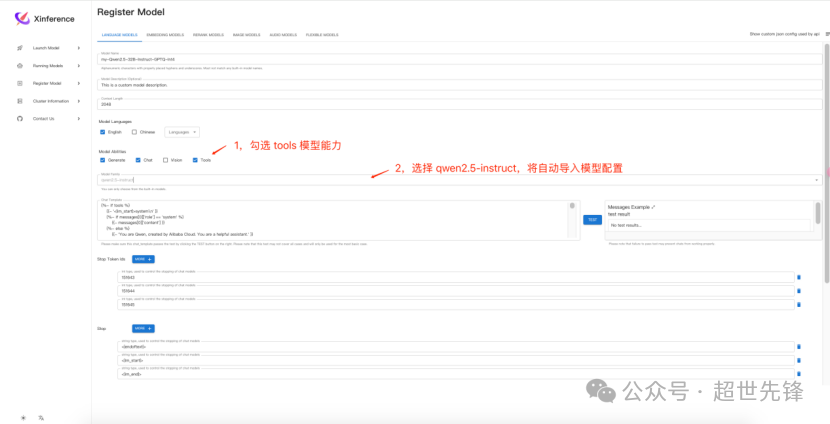
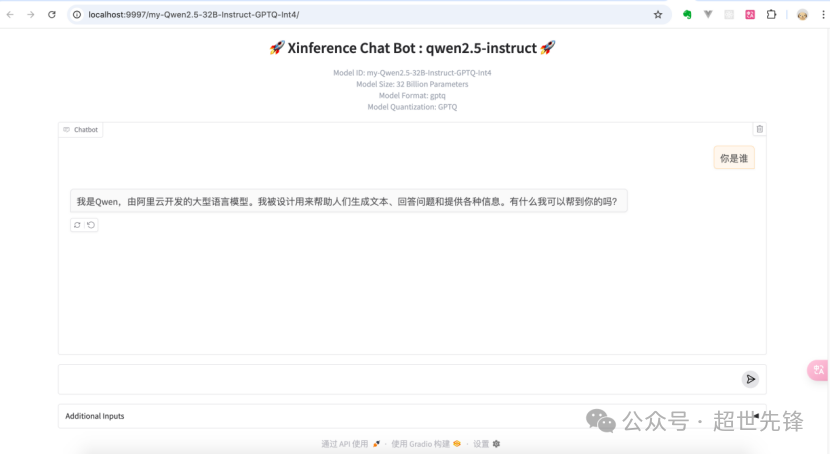
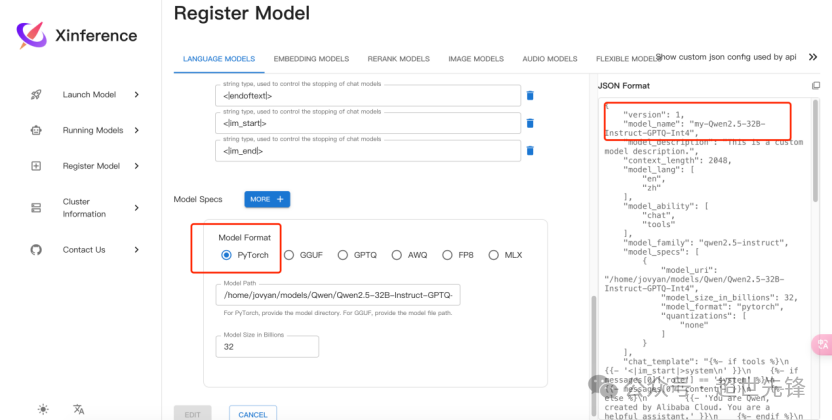
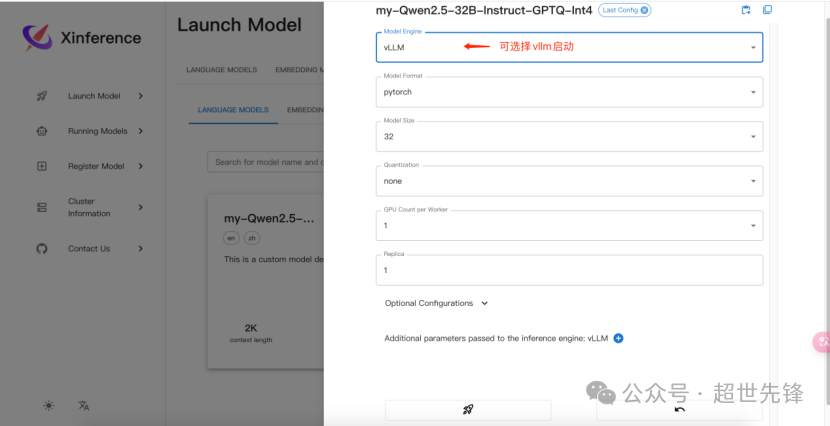
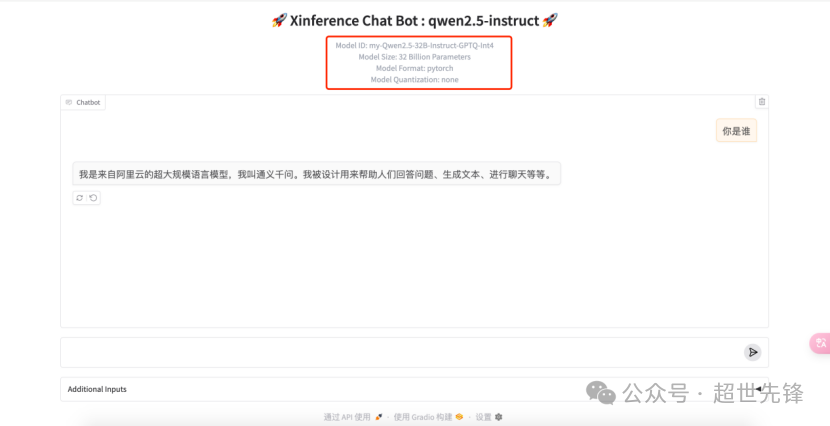
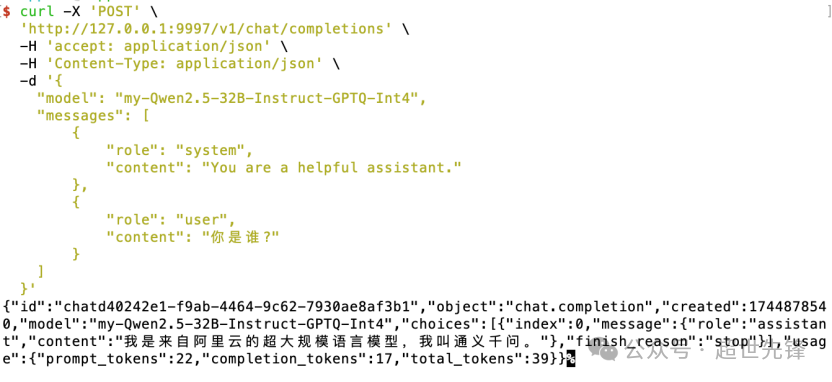
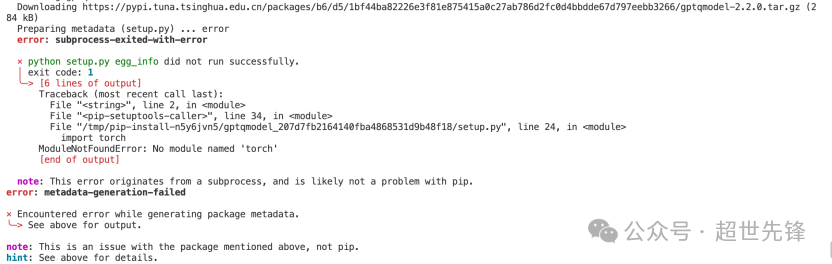
curl -X 'POST' \ 'http://localhost:9997/v1/audio/speech' \ -H 'accept: application/json' \ -H 'Content-Type: application/json' \ -d '{ "model": "CosyVoice2-0.5B", "input": "hello", "voice": "中文女" }' -o hello1.mp3curl -X 'POST' \ 'http://127.0.0.1:9997/v1/video/generations' \ -H 'accept: application/json' \ -H 'Content-Type: application/json' \ -d '{ "model": "CogVideoX-5b", "prompt": "an apple" }' -o apple.mp4# 取b64_json进行base64解码即可生成视频说明:pytorch模型格式,可以选择vllm启动,速度会快很多curl -X 'POST' \ 'http://127.0.0.1:9997/v1/chat/completions' \ -H 'accept: application/json' \ -H 'Content-Type: application/json' \ -d '{ "model": "my-Qwen2.5-32B-Instruct-GPTQ-Int4", "messages": [ { "role": "system", "content": "You are a helpful assistant." }, { "role": "user", "content": "你是谁?" } ] }'pip3 install torch torchvision torchaudio --index-url https://download.pytorch.org/whl/cu126
pip install sentence-transformers
立即咨询 JOTO
JOTO 提供覆盖企业智能体规划与搭建、AI 平台私有化部署、RAG 知识工程、AI 安全治理、FDE 驻场共创及持续运营优化的全周期 AI 落地服务,帮助企业把验证中的 AI 能力转化为安全、可控、可持续迭代的生产力。 联系 JOTO 获取 AI 落地咨询