RAG 应用架构概述
Cloud Native
1.1 核心组件
Spring AI:Spring 生态的 Java AI 开发框架,提供统一 API 接入大模型、向量数据库等 AI 基础设施。 Ollama:本地大模型运行引擎,大模型时代的 Docker,支持快速体验部署大模型。
Spring AI Alibaba:Spring AI 增强,集成 DashScope 模型平台,快速构建大模型应用。
Elasticsearch:向量数据库,存储文本向量化数据,支撑语义检索。
1.2 模型选型
Embedding 模型:nomic-embed-text:latest,用于将文本数据向量化。 Ollama Chat 模型:deepseek-r1:8b,生成最终答案。
环境准备
Cloud Native
2.1 启动 Ollama 服务
services:ollama:container_name: ollamaimage: ollama/ollama:latestports:- 11434:11434open-webui:image:ghcr.io/open-webui/open-webui:maincontainer_name: open-webuiports:- 3005:8080environment:- 'OLLAMA_BASE_URL=http://host.docker.internal:11434'# 允许容器访问宿主机网络extra_hosts:- host.docker.internal:host-gateway
2.2 下载模型
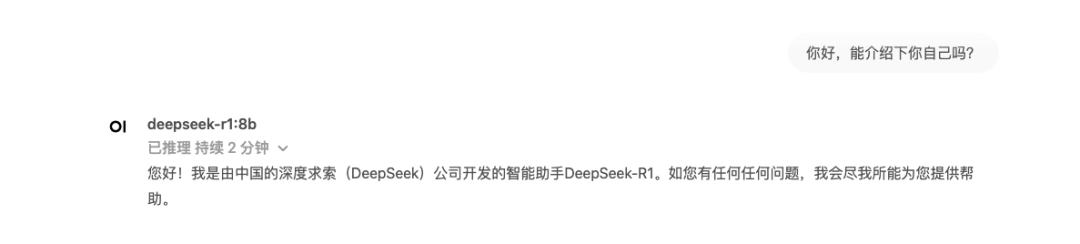
docker exec -it ollama ollama pull deepseek-r1:8bdocker exec -it ollama ollama pull nomic-embed-text:latest
2.3 部署 Elasticsearch
services:elasticsearch:image: docker.elastic.co/elasticsearch/elasticsearch:8.16.1container_name: elasticsearchprivileged: trueenvironment:- "cluster.name=elasticsearch"- "discovery.type=single-node"- "ES_JAVA_OPTS=-Xms512m -Xmx1096m"- bootstrap.memory_lock=truevolumes:- ./config/es.yaml:/usr/share/elasticsearch/config/elasticsearch.ymlports:- "9200:9200"- "9300:9300"deploy:resources:limits:cpus: "2"memory: 1000Mreservations:memory: 200M
cluster.name: docker-esnode.name: es-node-1network.host: 0.0.0.0network.publish_host: 0.0.0.0http.port: 9200http.cors.enabled: truehttp.cors.allow-origin: "*"bootstrap.memory_lock: true# 关闭认证授权 es 8.x 默认开启xpack.security.enabled: false
项目配置
Cloud Native
3.1 依赖引入
<!-- Spring Boot Web Starter --><dependency><groupId>org.springframework.boot</groupId><artifactId>spring-boot-starter-web</artifactId><version>3.3.4</version></dependency><!-- Spring AI Ollama Starter --><dependency><groupId>org.springframework.ai</groupId><artifactId>spring-ai-ollama-spring-boot-starter</artifactId><version>1.0.0-M5</version></dependency><!-- 向量存储 --><dependency><groupId>org.springframework.ai</groupId><artifactId>spring-ai-elasticsearch-store</artifactId><version>1.0.0-M5</version></dependency><!-- PDF 解析 --><dependency><groupId>org.springframework.ai</groupId><artifactId>spring-ai-pdf-document-reader</artifactId><version>1.0.0-M5</version></dependency>
3.2 核心配置
spring:ai:# ollama 配置ollama:base-url: http://127.0.0.1:11434chat:model: deepseek-r1:8bembedding:model: nomic-embed-text:latest# 向量数据库配置vectorstore:elasticsearch:index-name: ollama-rag-embedding-indexsimilarity: cosinedimensions: 768elasticsearch:uris: http://127.0.0.1:9200
index-name 为 es 向量索引名; dimensions 为向量模型生成的向量维度(需要和向量模型生成的向量维度一致,默认值为 1576); similarity 定义了用于衡量向量之间相似度的算法或度量方式,这里使用余弦相似度,使用高维稀疏向量。
3.3 Prompt Template
你是一个MacOS专家,请基于以下上下文回答:---------------------{question_answer_context}---------------------请结合给定上下文和提供的历史信息,用中文 Markdown 格式回答,若答案不在上下文中请明确告知。
核心实现
Cloud Native
4.1 文本向量化
public class KnowledgeInitializer implements ApplicationRunner {// 注入 VectorStore 实例,负责向量化数据的增查操作private final VectorStore vectorStore;// 向量数据库客户端,此处使用 esprivate final ElasticsearchClient elasticsearchClient;// .....@Overridepublic void run(ApplicationArguments args) {// 1. load pdf resources.List<Resource> pdfResources = loadPdfResources();// 2. parse pdf resources to Documents.List<Document> documents = parsePdfResource(pdfResources);// 3. import to ES.importToES(documents);}private List<Document> parsePdfResource(List<Resource> pdfResources) {// 按照指定策略切分文本并转为 Document 资源对象for (Resource springAiResource : pdfResources) {// 1. parse documentDocumentReader reader = new PagePdfDocumentReader(springAiResource);List<Document> documents = reader.get();logger.info("{} documents loaded", documents.size());// 2. split trunksList<Document> splitDocuments = new TokenTextSplitter().apply(documents);logger.info("{} documents split", splitDocuments.size());// 3. add res listresList.addAll(splitDocuments);}}// ......}
4.2 RAG 服务层
@Servicepublic class AIRagService {// 引入 system prompt tmpl@Value("classpath:/prompts/system-qa.st")private Resource systemResource;// 注入相关 bean 实例private final ChatModel ragChatModel;private final VectorStore vectorStore;// 文本过滤,增强向量检索精度private static final String textField = "content";// ......public Flux<String> retrieve(String prompt) {// 加载 prompt tmplString promptTemplate = getPromptTemplate(systemResource);// 启用混合搜索,包括嵌入和全文搜索SearchRequest searchRequest = SearchRequest.builder().topK(4).similarityThresholdAll().build();// build chatClient,发起大模型服务调用。return ChatClient.builder(ragChatModel).build().prompt().advisors(new QuestionAnswerAdvisor(vectorStore,searchRequest,promptTemplate)).user(prompt).stream().content();}}
4.3 RAG 服务接口层
@RestController@RequestMapping("/rag/ai")public class AIRagController {@Resourcepublic AIRagService aiRagService;@GetMapping("/chat/{prompt}")public Flux<String> chat(@PathVariable("prompt") String prompt,HttpServletResponse response) {// 解决 stream 模式下响应乱码问题。response.setCharacterEncoding("UTF-8");if (!StringUtils.hasText(prompt)) {return Flux.just("prompt is null.");}return aiRagService.retrieve(prompt);}}
请求演示
Cloud Native
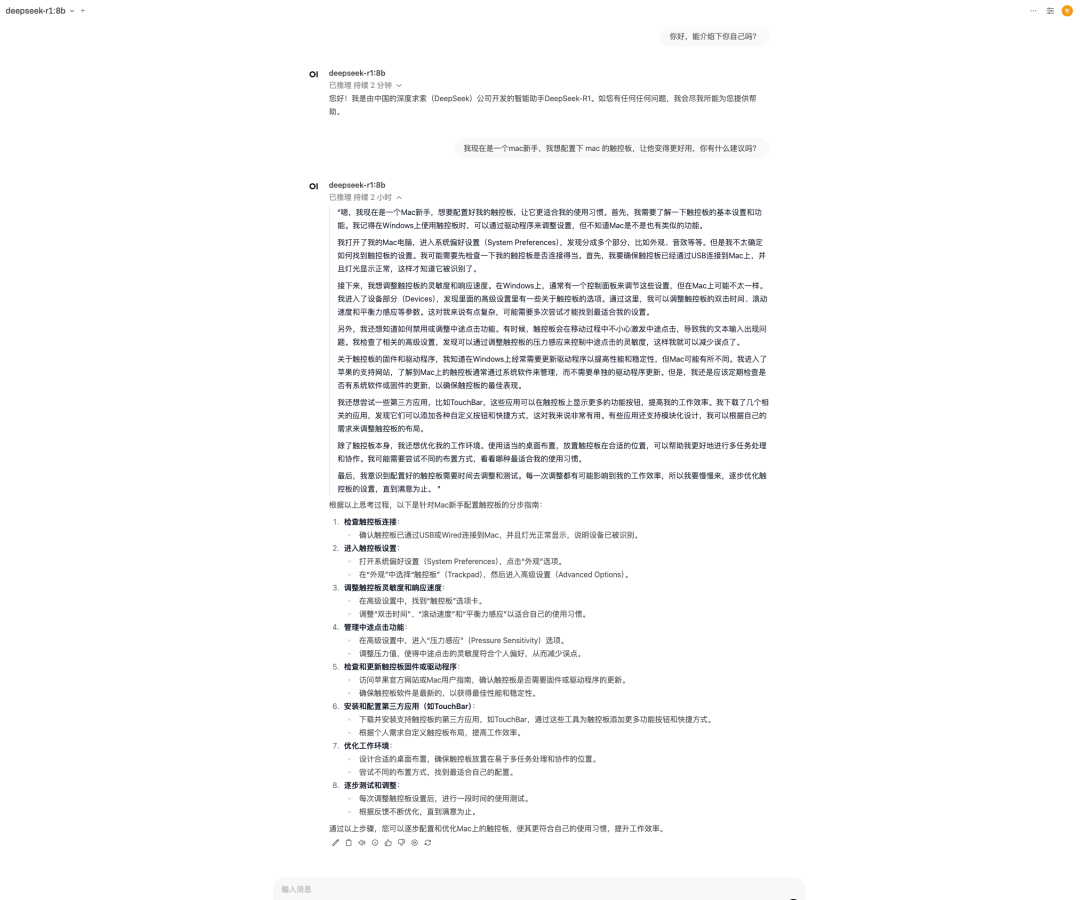
这里以 我现在是一个mac新手,我想配置下 mac 的触控板,让他变得更好用,你有什么建议吗?问题为例,可以看到直接调用模型的回答是比较官方,实用性不高。
5.1 从 open-webui 直接调用
5.2 调用 RAG 应用接口

RAG 优化
Cloud Native
6.1 使用 DashScope 平台模型
spring:application:name: ollama-ragai:dashscope:api-key: ${AI_DASHSCOPE_API_KEY}chat:options:model: deepseek-r1embedding:enabled: falseollama:base-url: http://127.0.0.1:11434chat:model: deepseek-r1:8benabled: falseembedding:model: nomic-embed-text:latestvectorstore:elasticsearch:index-name: ollama-rag-embedding-indexsimilarity: cosinedimensions: 768elasticsearch:uris: http://127.0.0.1:9200
<!-- Spring AI Alibaba DashScope --><dependency><groupId>com.alibaba.cloud.ai</groupId><artifactId>spring-ai-alibaba-starter</artifactId><version>1.0.0-M6.1</version></dependency>
public Flux<String> retrieve(String prompt) {// Get the vector store prompt tmpl.String promptTemplate = getPromptTemplate(systemResource);// Enable hybrid search, both embedding and full text searchSearchRequest searchRequest = SearchRequest.builder().topK(4).similarityThresholdAll().build();// Build ChatClient with retrieval rerank advisor:ChatClient runtimeChatClient = ChatClient.builder(chatModel).defaultAdvisors(new RetrievalRerankAdvisor(vectorStore,rerankModel,searchRequest,promptTemplate,0.1)).build();// Spring AI RetrievalAugmentationAdvisorAdvisor retrievalAugmentationAdvisor = RetrievalAugmentationAdvisor.builder().queryTransformers(RewriteQueryTransformer.builder().chatClientBuilder(ChatClient.builder(ragChatModel).build().mutate()).build()).documentRetriever(VectorStoreDocumentRetriever.builder().similarityThreshold(0.50).vectorStore(vectorStore).build()).build();// Retrieve and llm generatereturn ragClient.prompt().advisors(retrievalAugmentationAdvisor).user(prompt).stream().content();}
6.2 检索优化
https://java2ai.com/docs/1.0.0-M5.1/tutorials/rag/
6.3 数据预处理优化
删除不相关的文档。噪音数据,特殊字符等来清理数据文本; 添加一些元数据信息,提高索引数据的质量; 优化索引结构等。
问题排查
Cloud Native
<repositories><repository><id>spring-milestones</id><name>Spring Milestones</name><url>https://repo.spring.io/milestone</url><snapshots><enabled>false</enabled></snapshots></repository><repository><id>spring-snapshots</id><name>Spring Snapshots</name><url>https://repo.spring.io/snapshot</url><releases><enabled>false</enabled></releases></repository></repositories>
总结
Cloud Native
数据加载与清洗:从外部知识库加载数据,向量化后存储到 Elasticsearch。 模型调用优化:通过检索增强技术(RAG),为大模型提供上下文信息。 交互服务搭建:构建 REST API,实现应用与用户的高效交互。